
Connect Slack
Connect the Shuffl app to Slack, approve new permissions, and know what works on the web without it.
Workspace administrators
Read as MarkdownAll guides as textAgent documentation index
Have your agent do thisPaste the prompt into Claude Code, Cursor or another agent. It follows this guide over MCP and asks before it changes anything others will see.Show the promptHide the prompt
Help me with "Connect Slack" in my Shuffl workspace.

1. Read the guide: https://shuffl-rebuild.vercel.app/docs/markdown/slack
2. Add Shuffl's MCP server: https://shuffl-rebuild.vercel.app/api/mcp
   Claude Code: claude mcp add --transport http shuffl https://shuffl-rebuild.vercel.app/api/mcp
   When the browser opens, choose my workspace and allow the access the guide needs.
3. Work through the steps in order: Connect Slack. Do what you can over MCP and tell me which steps only I can do in the browser or in Slack.

Show me what you will change and who it affects, and wait for my yes before publishing, inviting or sending anything.
App links open your signed-in workspace. Check the selected workspace before making changes.
Connect Slack
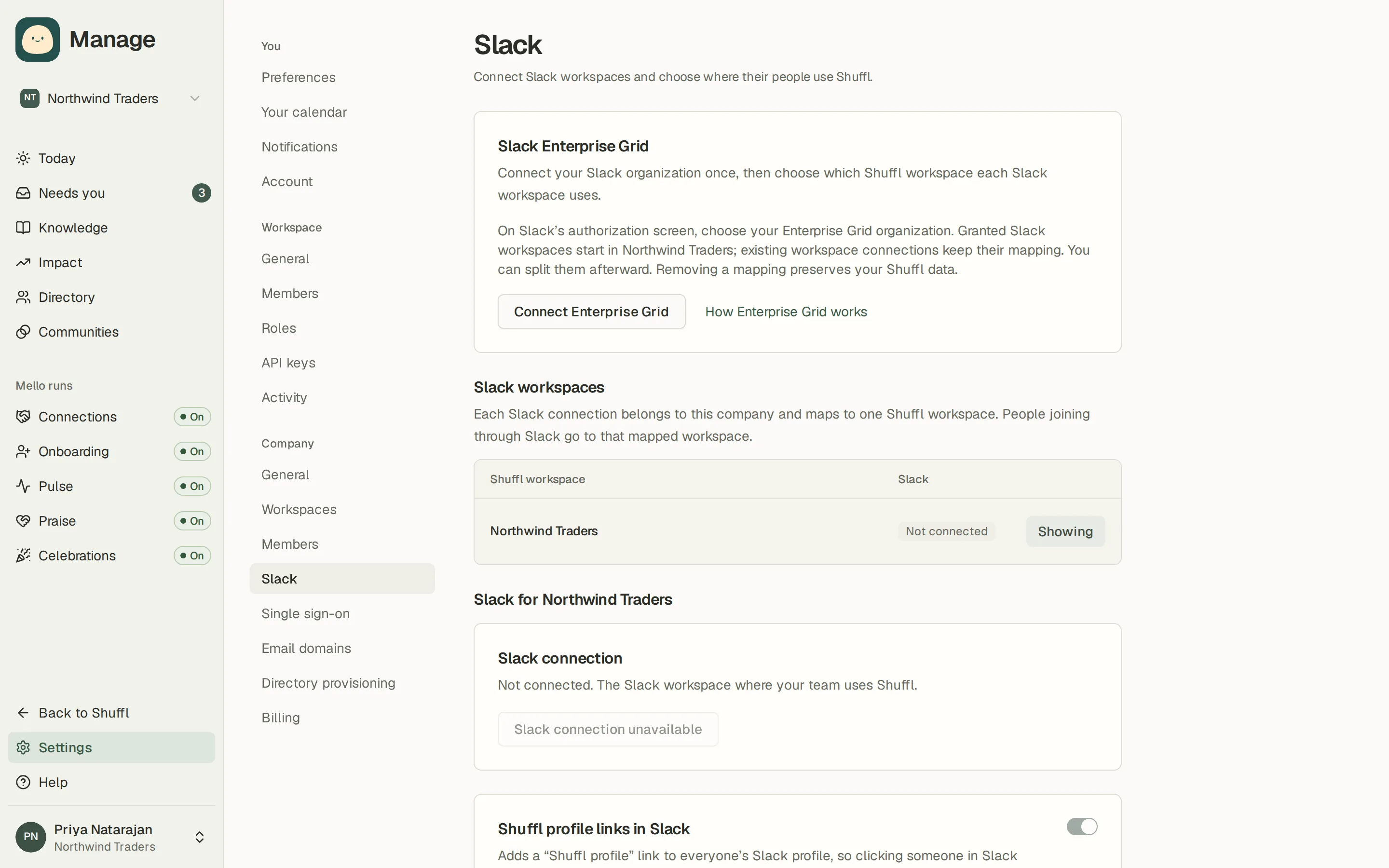
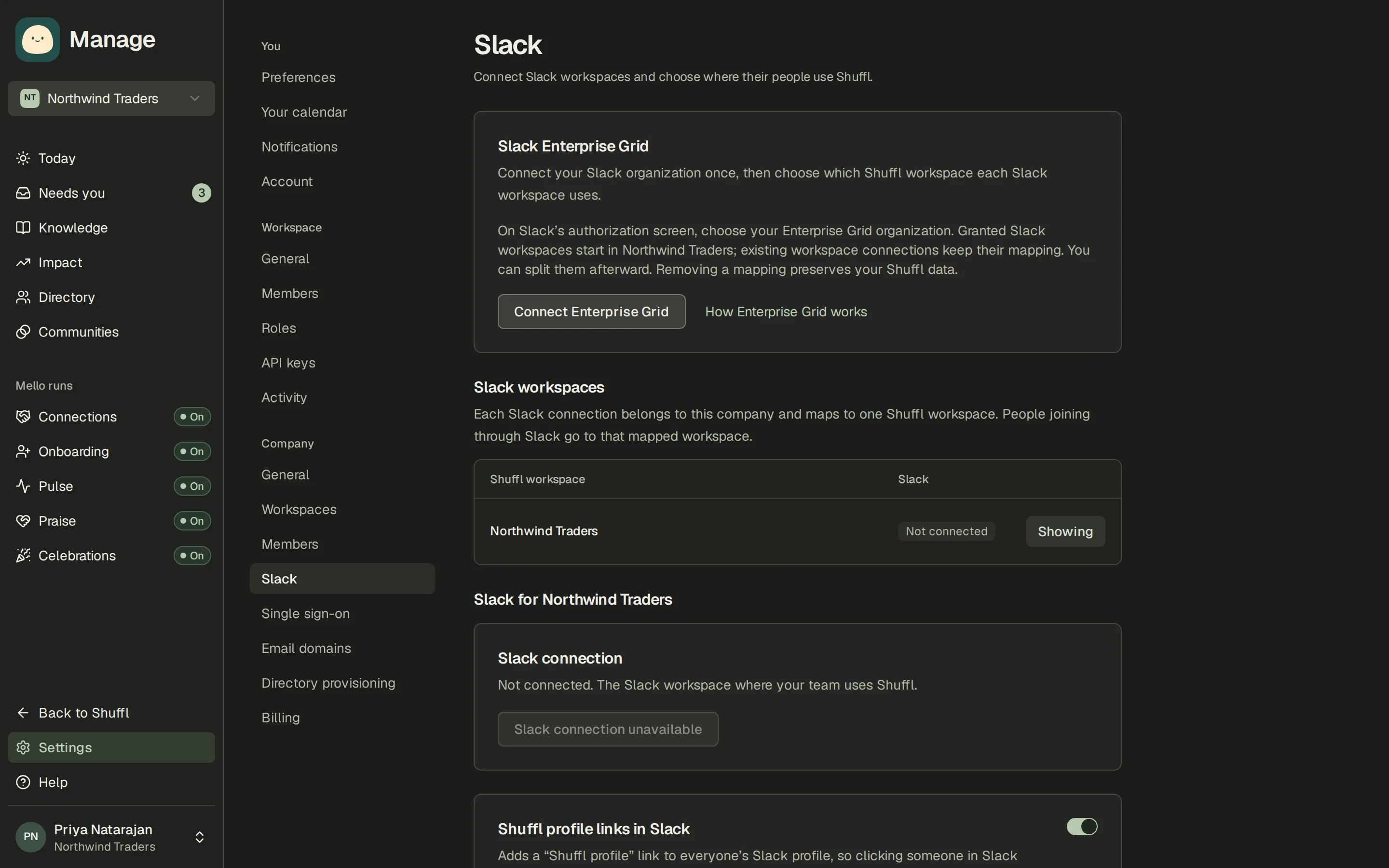
- As a company owner or administrator, open Company settings → Slack. Select the Shuffl workspace, then choose Connect Slack. A Slack owner or administrator may need to approve the app.
- Shuffl asks to read messages sent to it, post messages, see channels and read the member list. It never reads conversations that do not mention it.
- Everyone in your Slack workspace then appears in People, and so does anyone who joins later; bots, guests and deactivated accounts are left out. They wait for access until you enable them.
- The person who connected Slack gets a welcome message from Shuffl with the next steps. Send me the welcome again in Company settings → Slack resends it.
Each Slack connection belongs to a company. Enterprise Grid lets you connect the organization once and map its Slack workspaces to Shuffl workspaces. Newly granted Slack workspaces wait for a company administrator to map them. Slack sign-in joins only workspaces where the person has verified membership and enabled access.
ShufflAPP
Welcome to Shuffl
Approve new permissions
When a feature needs a new Slack permission, Manage shows a banner: Slack needs updated permissions. It lists what the reconnect turns on, such as reading PDFs shared in Slack or creating community channels. Choose Reconnect Slack and approve it; nothing else changes and no message is sent.
Company settings → Slack shows the same state on the connection card: Connected, Connected, permissions needed, Reconnect required or Not connected.
What employees see in Slack
The Shuffl app’s Messages tab is a private chat with Mello. Its Home tab starts with Ask Mello, then Today’s question when a Pulse question is open, your praise and where to give it, your communities, Connections programs with a Take a break button, recent introductions, celebrations and your bio.
HR responders, Knowledge reviewers and administrators see what waits on them first: a count at the top, then HR requests and Knowledge to review. Administrators also get Your workspace, with setup progress, how many people answered the open Pulse question, and buttons to People, Praise and Settings. Below that they get every section employees get, so they can answer Pulse, give praise and take part in Connections and communities too.
Each employee gets one welcome message when their access is turned on or they first open the app. It says the chat is private and deleted after 30 days.
In a channel, mention @Shuffl to get an answer in a thread from Knowledge published to everyone. Anything personal is answered only in a direct message.
The message examples in this guide show what employees receive and when.
ShufflAPP
ShufflAPP
Your HR teammate
Today’s question
Praise
Communities
Connections
Your bio
ShufflAPP
Your HR teammate
HR requests waiting on you
Your workspace
Today’s question
Praise
Communities
Connections
Your bio
ShufflAPP
Shuffl profile links on Slack profiles
Shuffl can put a link to each person’s Shuffl profile on their Slack profile. It needs a paid Slack plan, profile-editing permission from the person who connected Slack, and a Link field named Shuffl profile; Company settings → Slack shows which are in place. Turn the switch on and choose Sync now; turning it off removes the links.
Enable people who join a program channel
Program channel access enables someone who is waiting for access as soon as they join a channel that a Connections program uses. Leave it off to enable people by hand in People.
What works without Slack
Chat, HR requests, Knowledge, People, profiles, Praise and every report and setting work on the web. Pulse questions, HR requests and the HR digest can go by email, under Settings → Notifications.
Introductions, onboarding messages, praise capture, celebration posts and community channels need Slack connected and the person’s Slack account linked in People.